Kelly Mark Logo
Case Study Image

Product Design • Shipped 2025

Simplifying anti-money laundering compliance reporting workflows

Timeframe
4 months
Role
UX/UI Designer
Team
3 Software Engineers
Skills
Product Design, User Research, Prototyping, Vibe Coding
OVERVIEW

What if compliance reporting were automated, and building reports was as easy as drag and drop?

Quantoflow is a Canadian-based startup that builds software to automate FINTRAC reporting and simplify anti-money laundering (AML) compliance for businesses.

I was the sole designer on this project, where I led the research and design execution of the reporting tool, working with developers to bring it to life.
PROBLEM

AML compliance processes are time-intensive, outdated, and not always accurate

AML compliance software exists, but it’s inefficient. Specialists often use multiple tools to gather data, manually copy it into reports over 40 pages long, and submit them to FINTRAC.
SOLUTION

Automating reporting to streamline a complex process

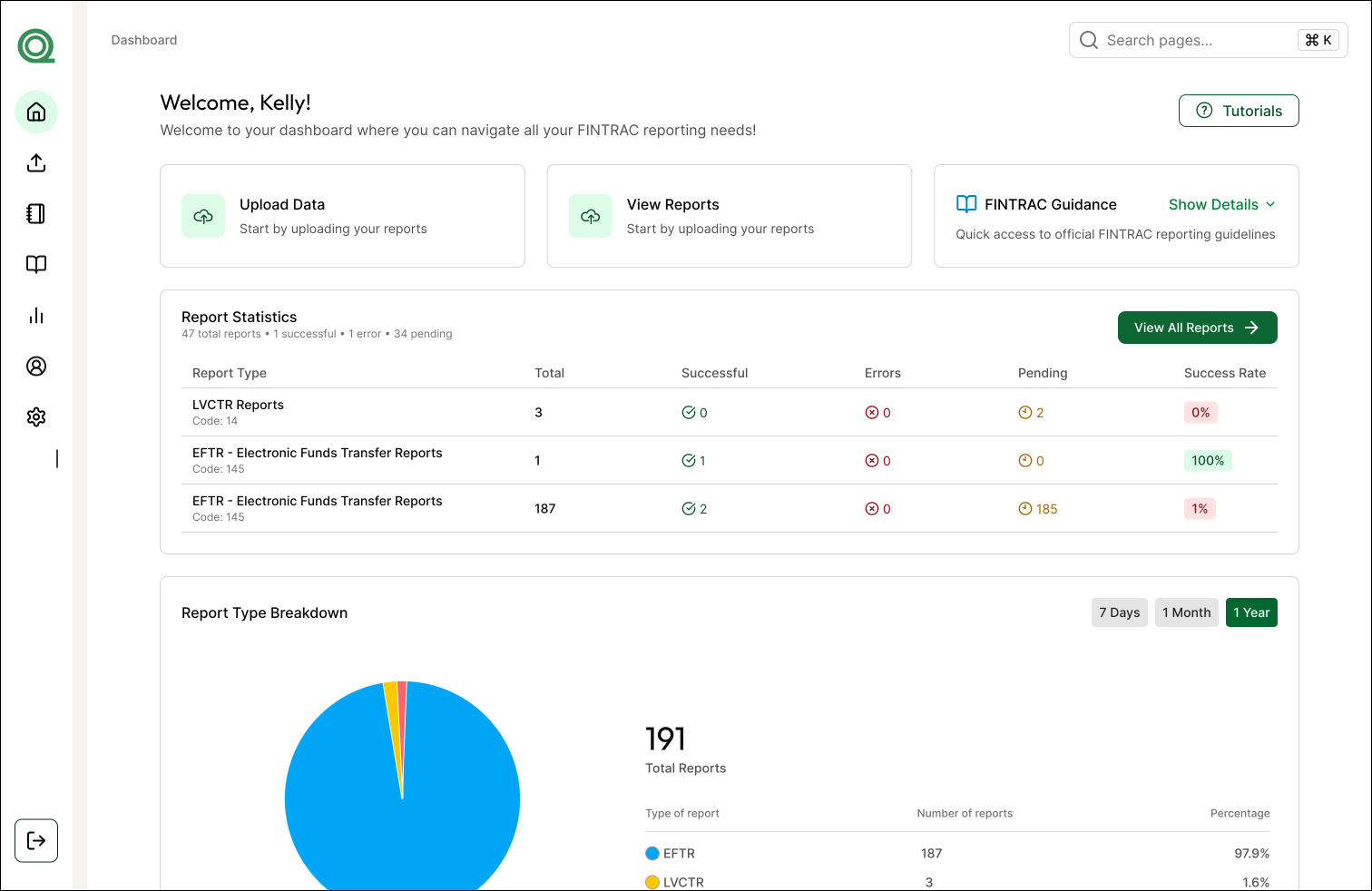
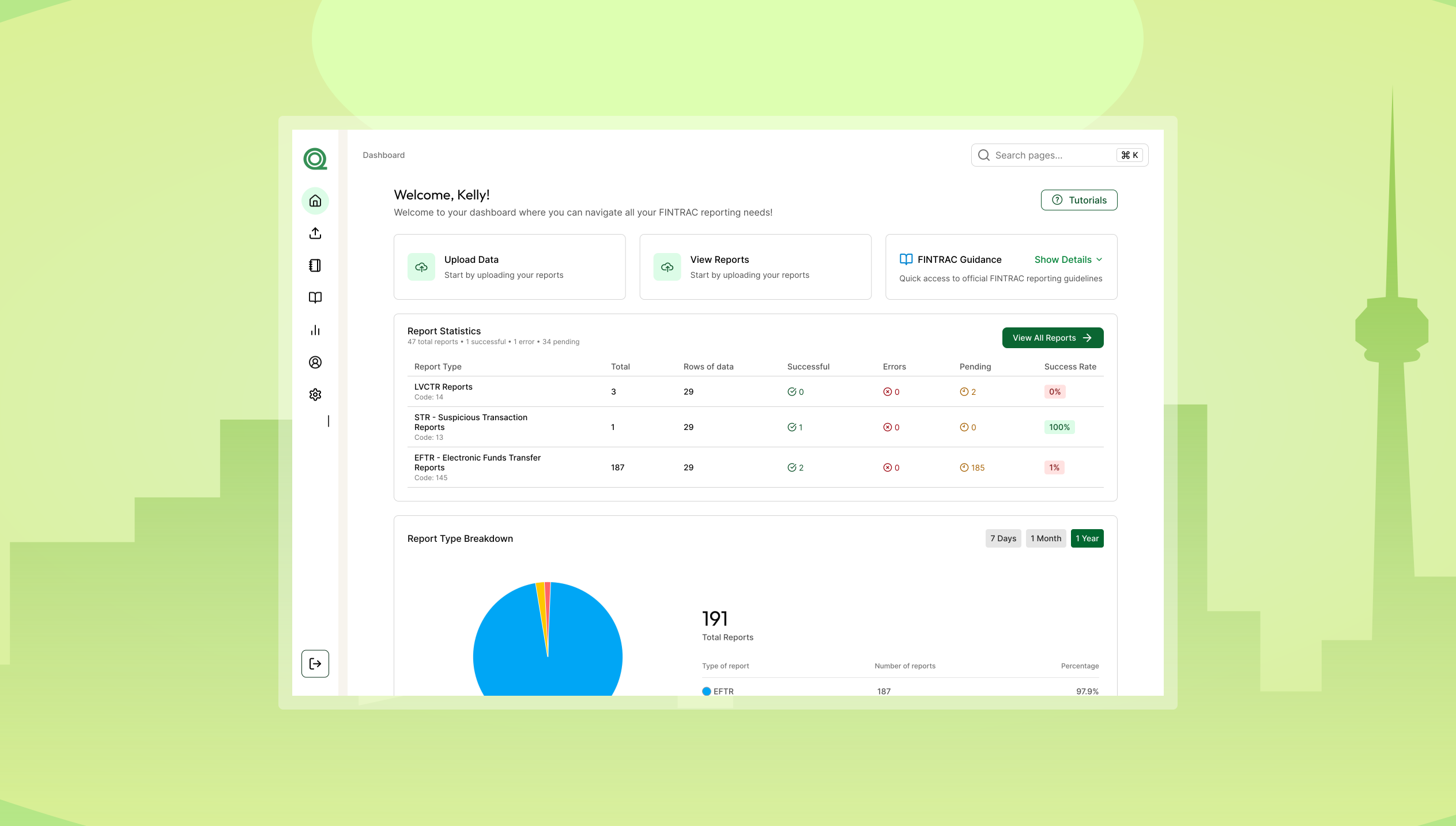
I designed a dashboard that streamlines FINTRAC reporting through automated data entry, simplified review, and built-in validation.

Impact

Automated System

Automating a once manual process

Turned a complex 40+ page process into a fast, intuitive drag-and-drop experience.
100 million of dollars of transactions submitted to FINTRAC

Edit and resubmit with ease

Quickly fix FINTRAC-flagged errors and resubmit in just a few steps.
Recognition

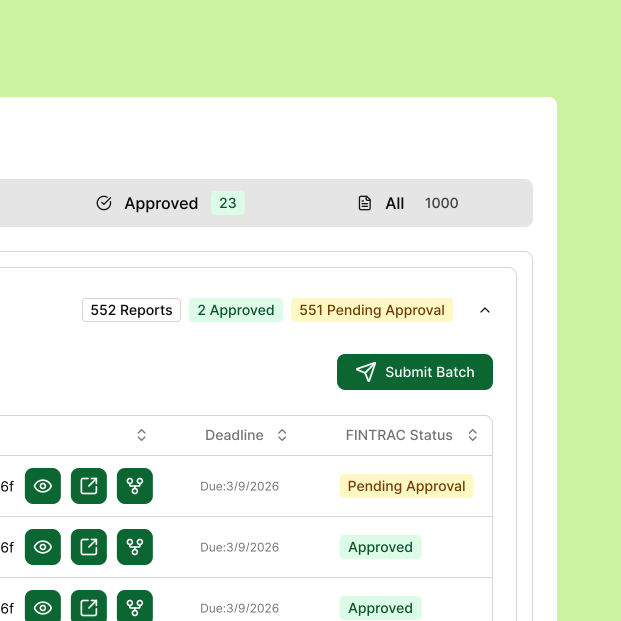
Clear visibility into report stages

Easily track pending, approved, and error states in one place.

IMPACT IN NUMBERS
To date, our software has enabled the reporting of more than $100 million in transactions to FINTRAC, significantly improving compliance efficiency and accuracy.
DISCOVERY

Deepening my understanding of the AML industry and current compliant systems

THE CURRENT STATE

It's a time consuming process!

67% of financial institutions spend 10 hours per week on compliance
There are multiple systems to find information
Outdated UI makes reporting difficult to navigate

Error-prone compliance reporting

Manual compliance leads to a 40% higher error rate compared to automated systems
USER INSIGHTS

Speaking with 20+ industry users to uncover pain points
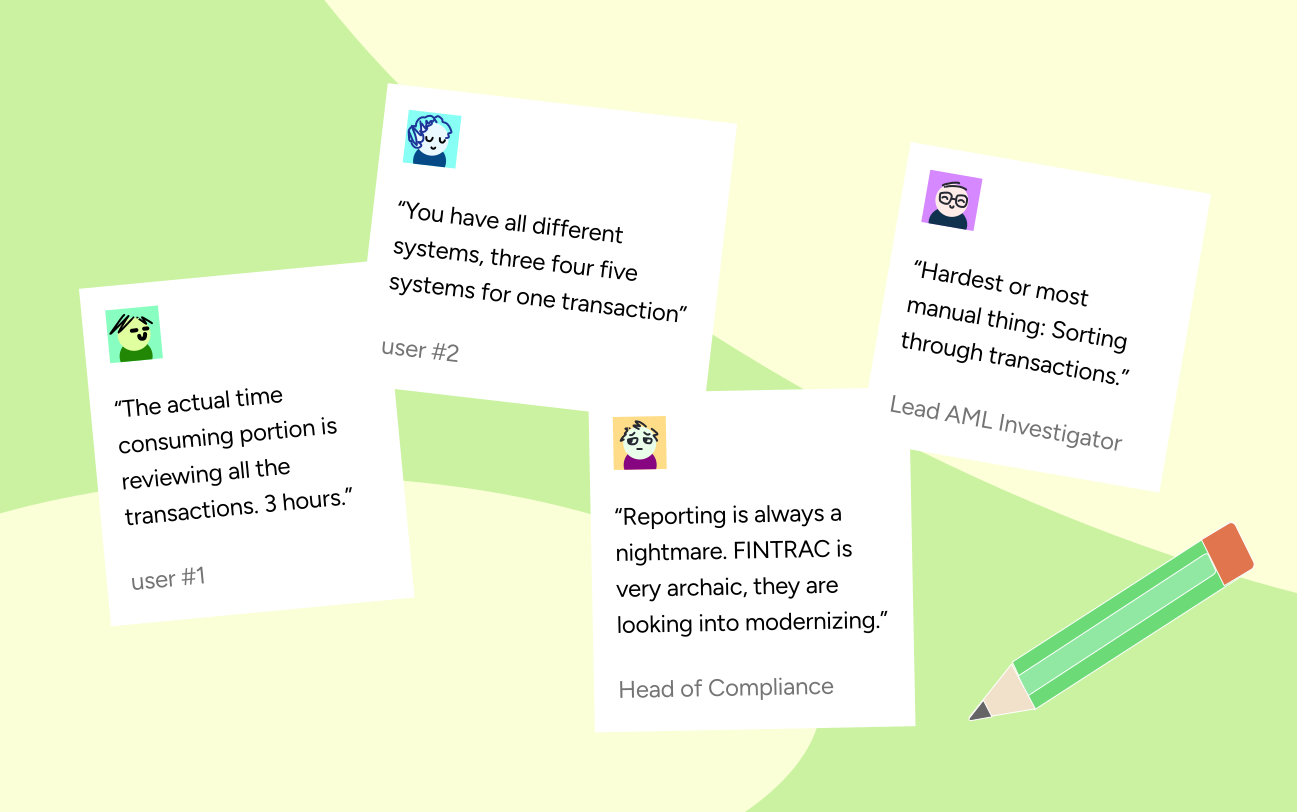
After speaking with over 20+ AML professionals, I learned that completing a single FINTRAC report often takes hours due to a multi-step process spread across disconnected systems.
Early iterations of feature ideas

Image

Pull quotes from the user interviews I conducted with AML compliance officers.
DESIGN OPPORTUNITY

How can we make filing a 43-page report feel as simple as uploading a file?
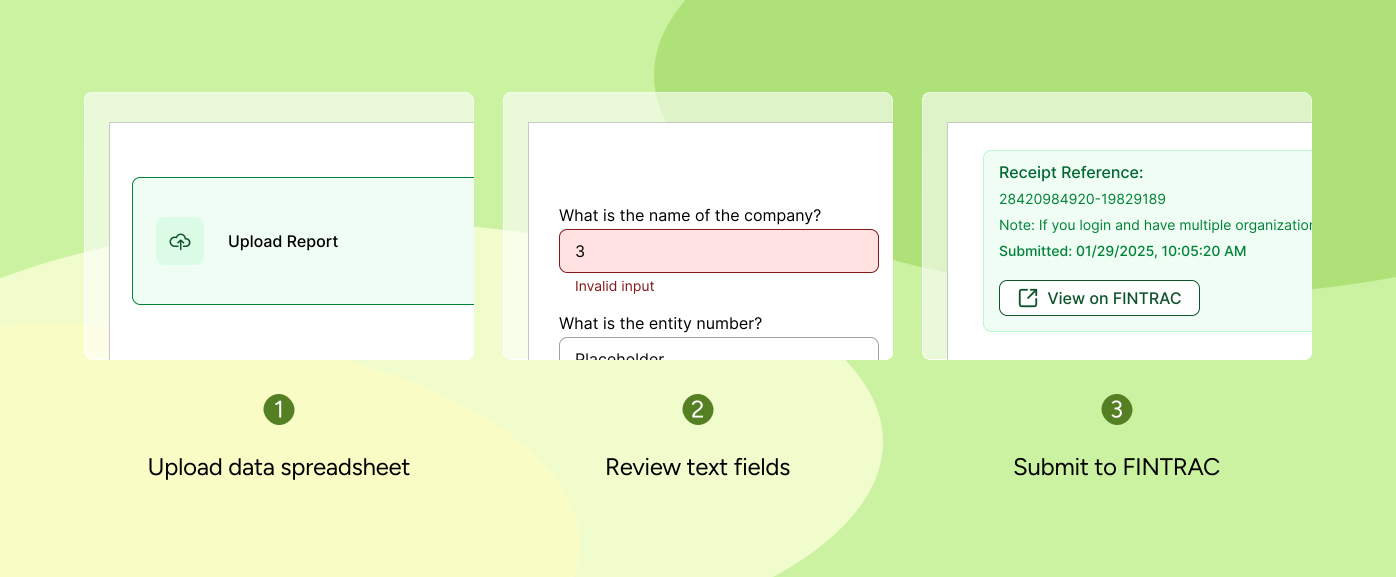
Rather than requiring users to manually input dozens of fields, the developers and I reimagined the filing experience by using automation to populate the report once a spreadsheet is uploaded.
Early iterations of feature ideas

Image

User flow when user uploads and submits their report(s).
EXPLORATION

Continuous user conversations guided feature prioritization and revealed friction points

During product development, I consistently gathered feedback from industry professionals and incorporated their insights to refine and improve the designs.
01 - UPLOADING THE DATA SPREADSHEET

Trying different ways to upload a report
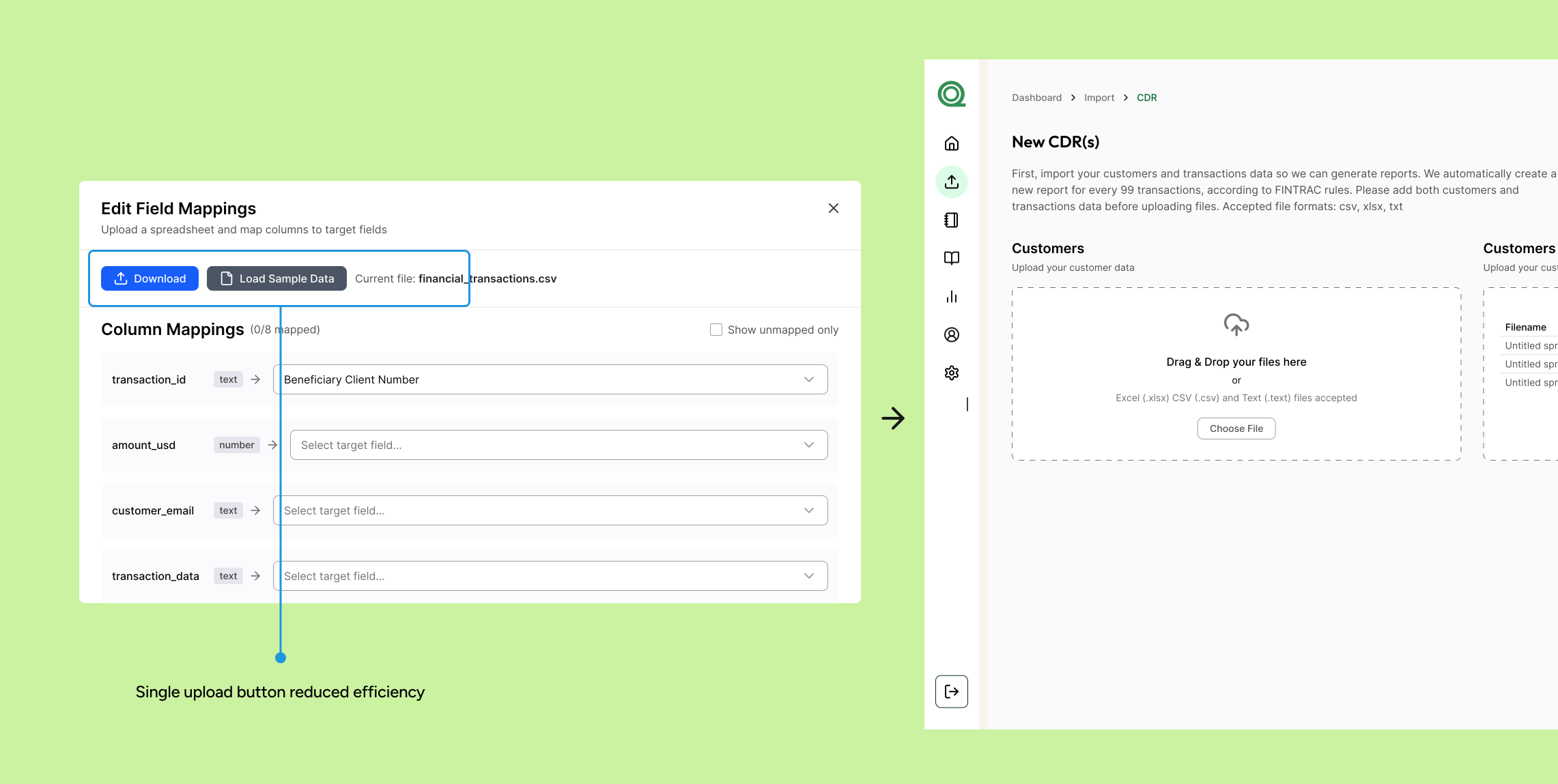
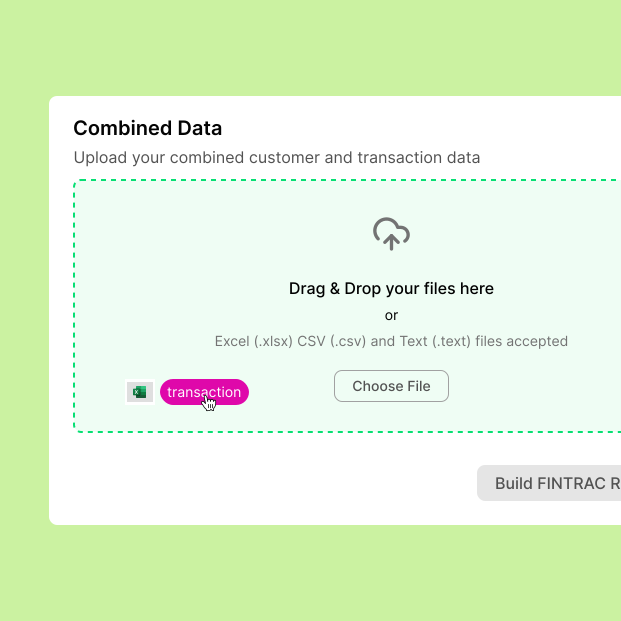
I explored different designs for uploading users' spreadsheets. During usability testing, participants found it a lot easier and flexible to drag and drop rather than click a button that opens their documents.
Early iterations of feature ideas

Image

Initial button iteration from the report upload flow
02 - REVIEWING THE REPORT

Ensuring details are accurate before submitting
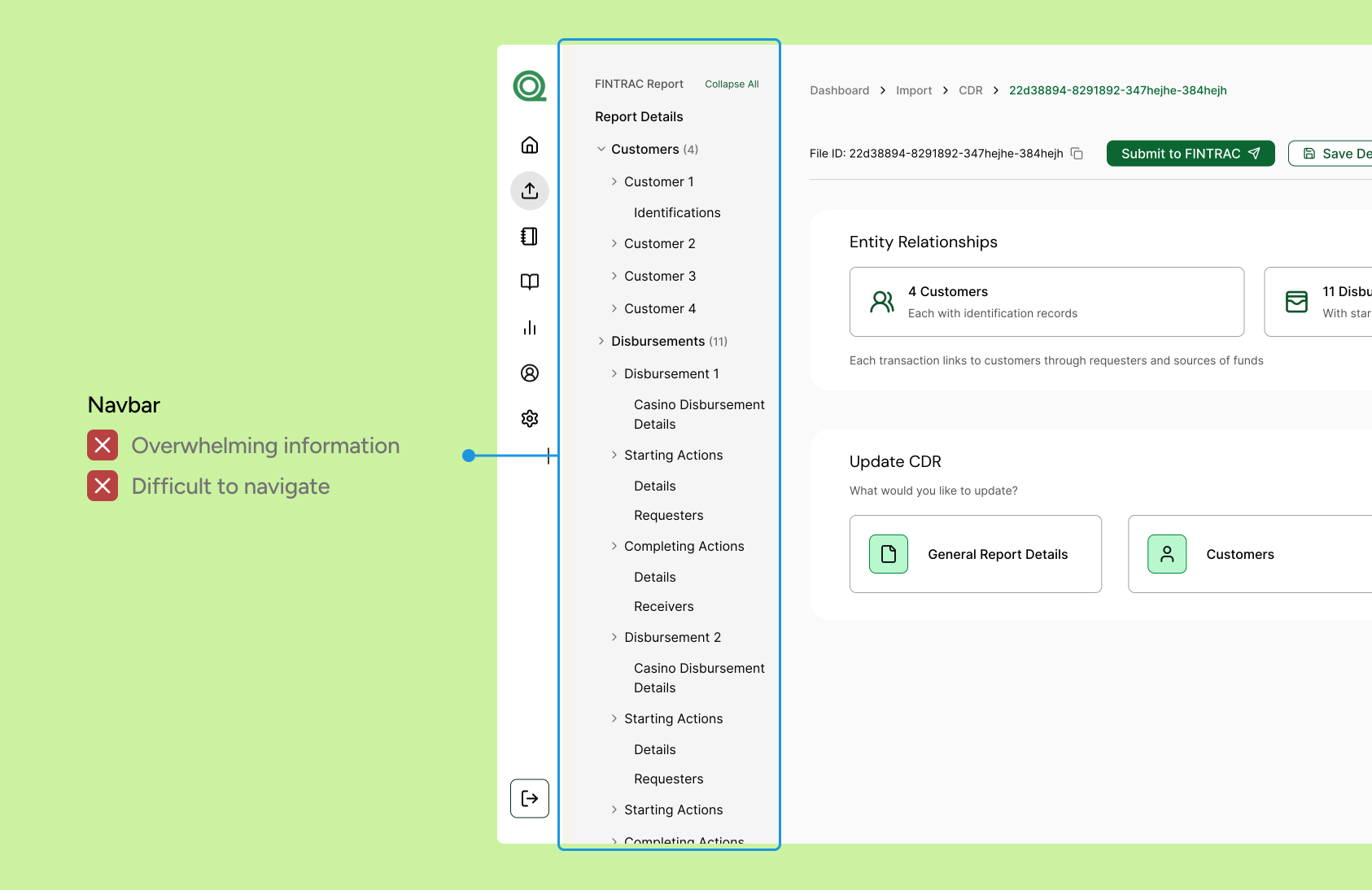
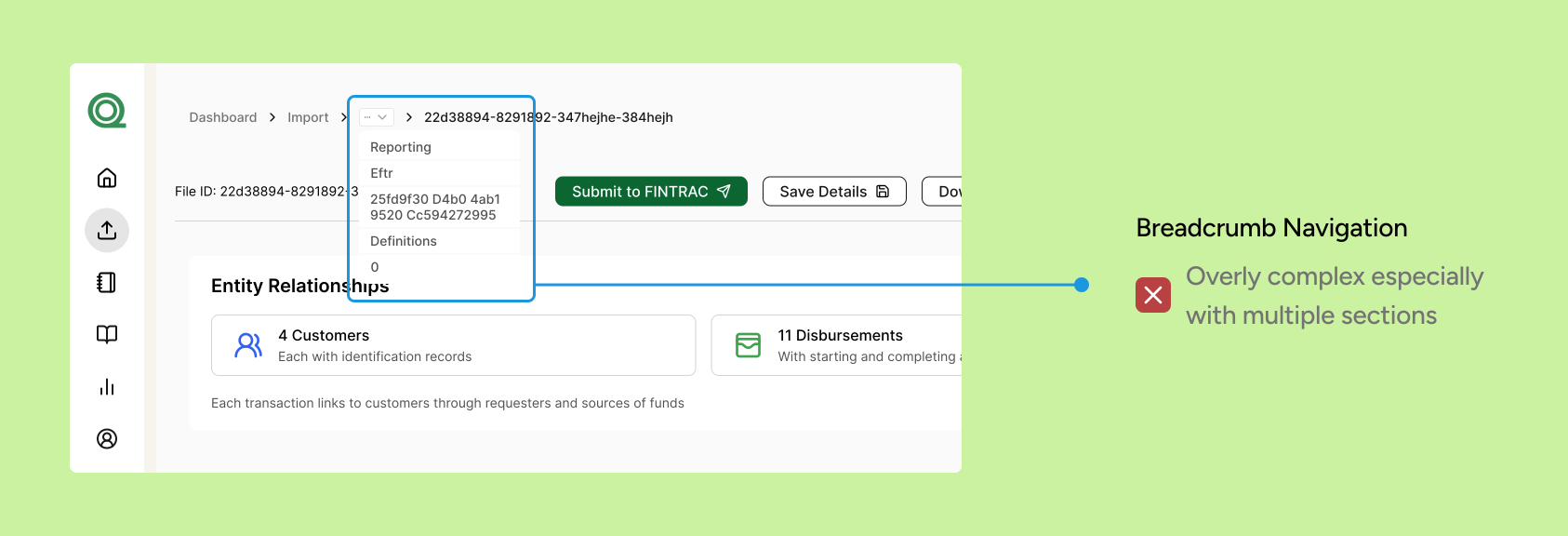
I played around with different ways to go through the nested report sections via breadcrumbs and a navbar.
Early iterations of feature ideas

Image

Navbar design to click throughout the report.
Early iterations of feature ideas

Image

Breadcrumb design to navigate through the report.
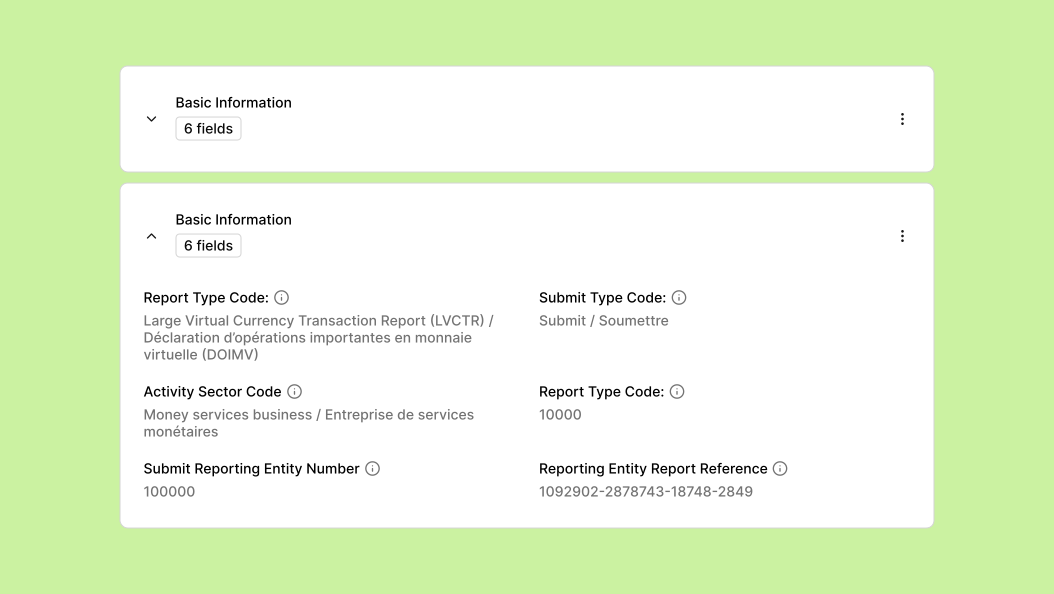
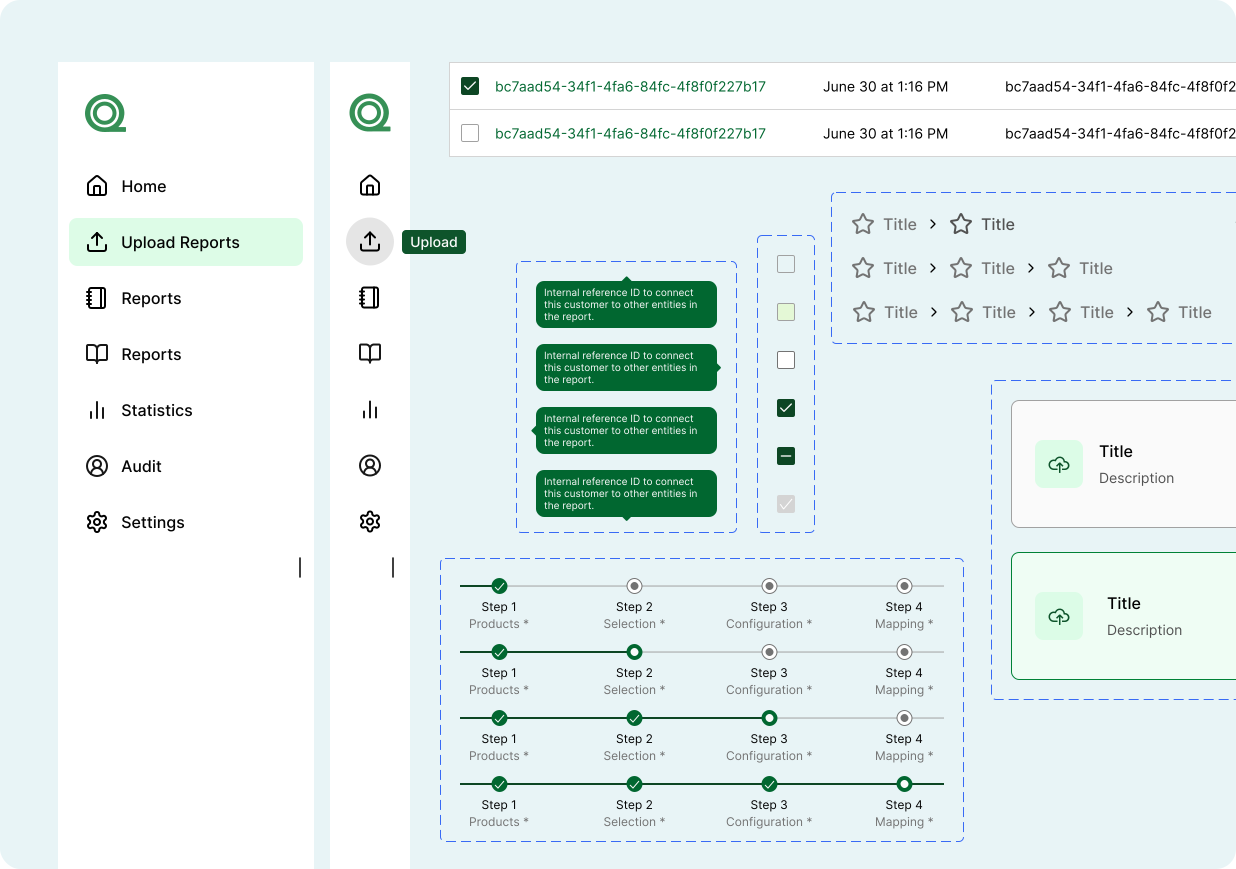
Instead of overcrowding the navbar, I introduced an accordion to improve information hierarchy and scalability.
Errors

Image

Accordion component to display nested data.
FINAL DESIGNS

Simplifying a complex system and significantly reducing case completion time

AUTOMATED REPORTING

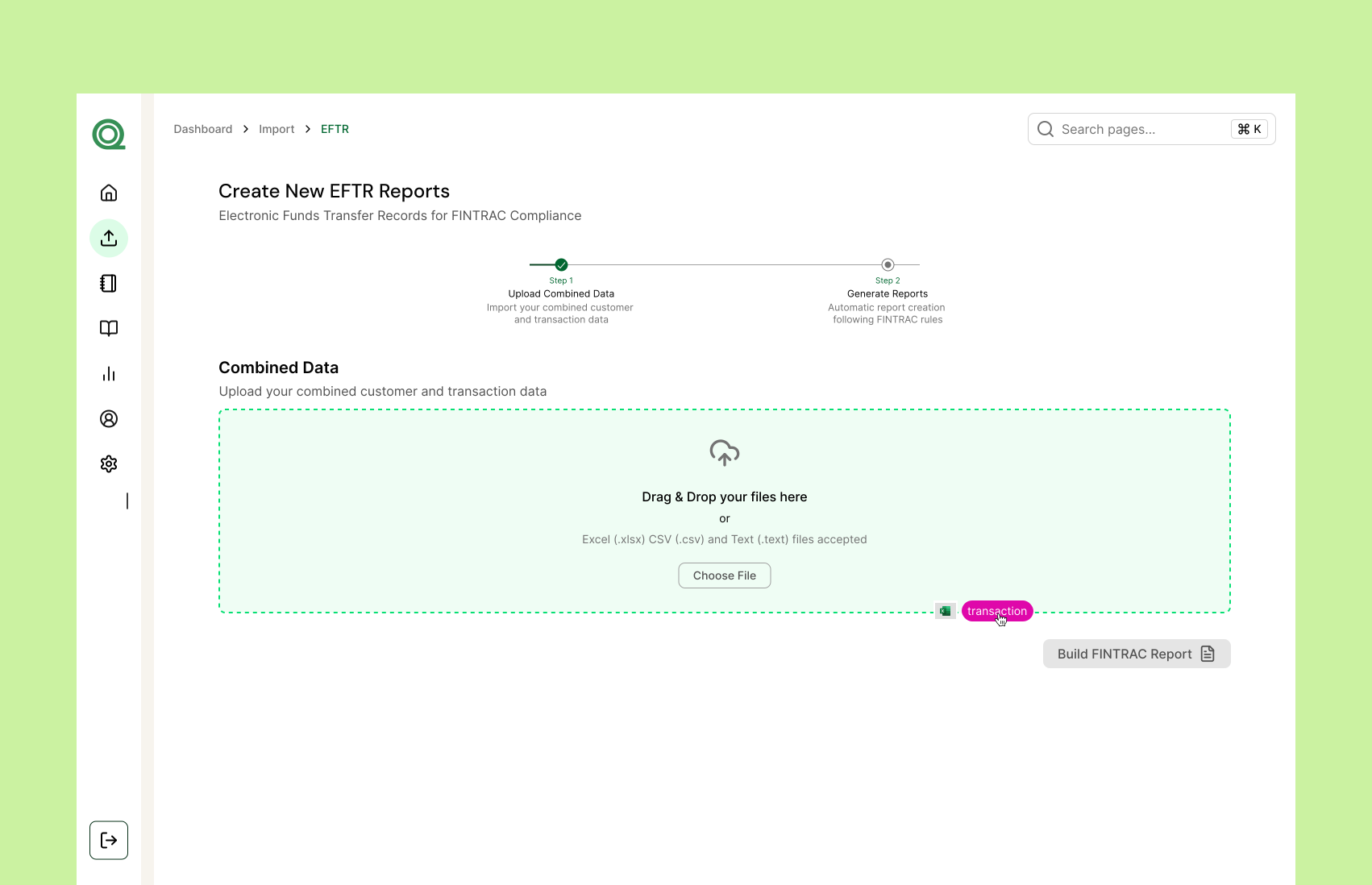
Users can mass upload reports using our drag and drop feature
Early iterations of feature ideas

Image

Our drag and drop feature that makes uploading multiple reports at a time possible.
REPORT REVIEW

Review suggestions and reports before submitting to FINTRAC
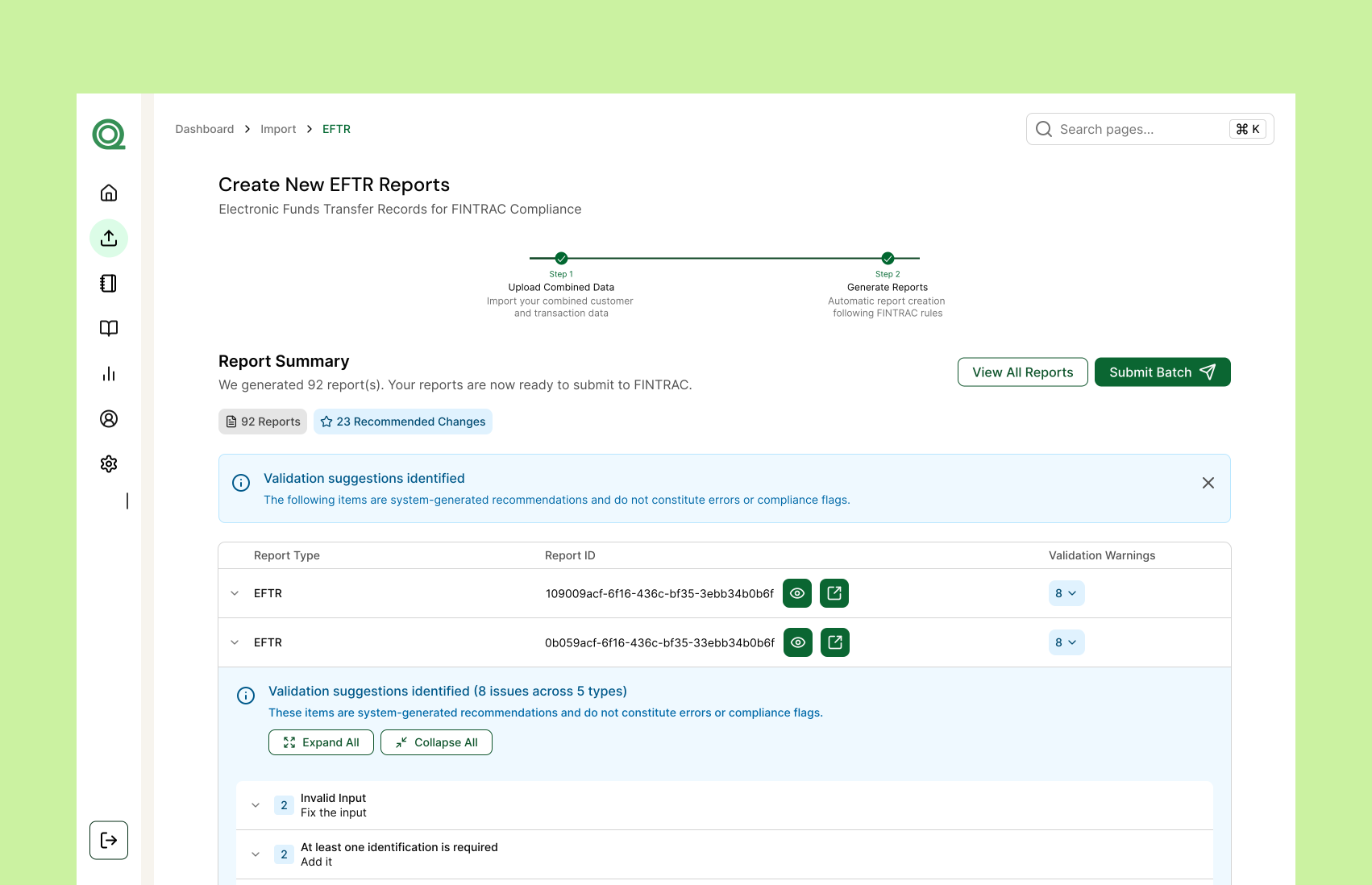
Early iterations of feature ideas

Image

Review reports before submitting.
SUBMISSION VALIDATION

Users receive a receipt to confirm FINTRAC submission along with a link to view on the FINTRAC portal
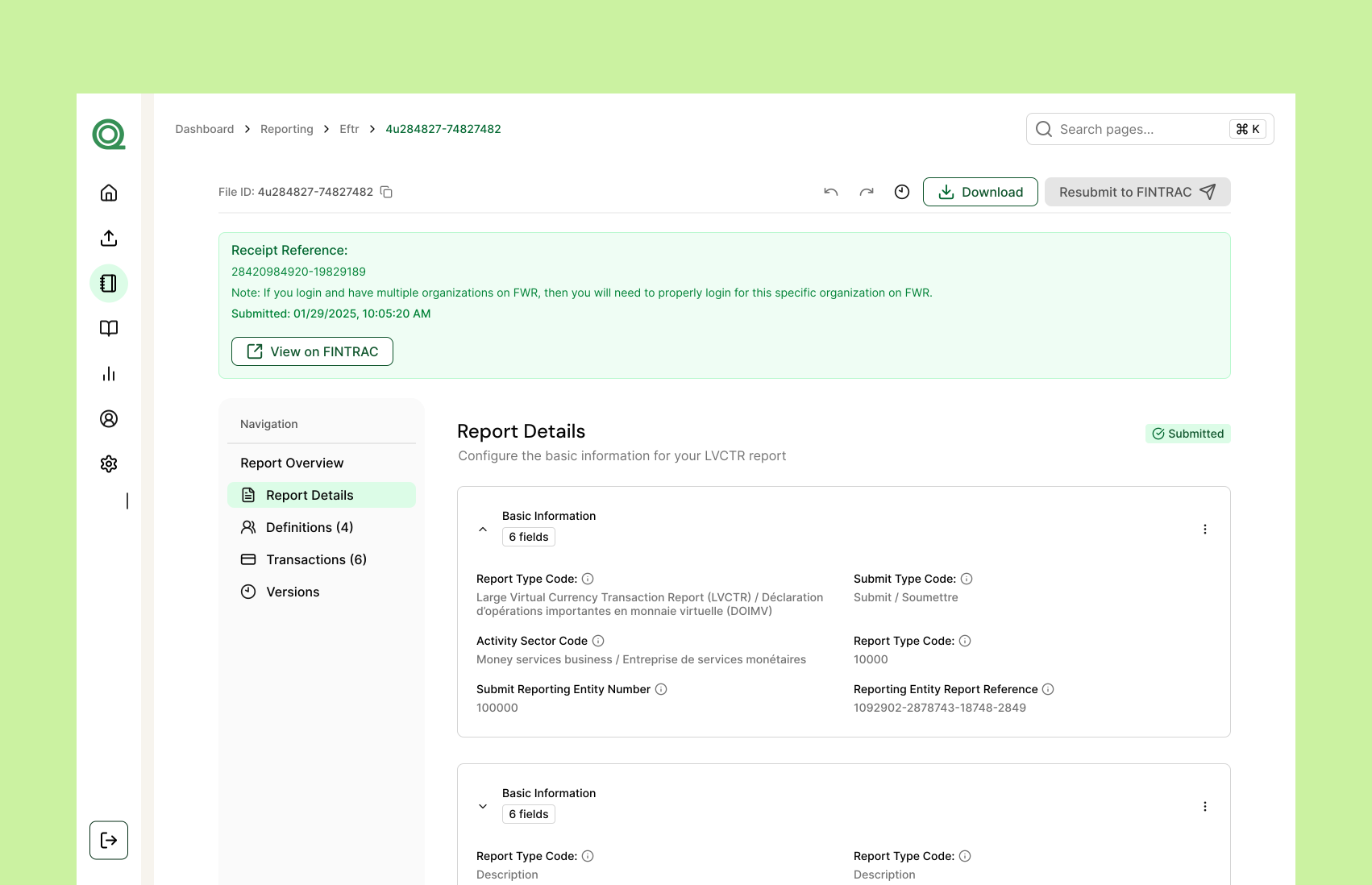
Early iterations of feature ideas

Image

Submission validation receipt
ERROR VALIDATION

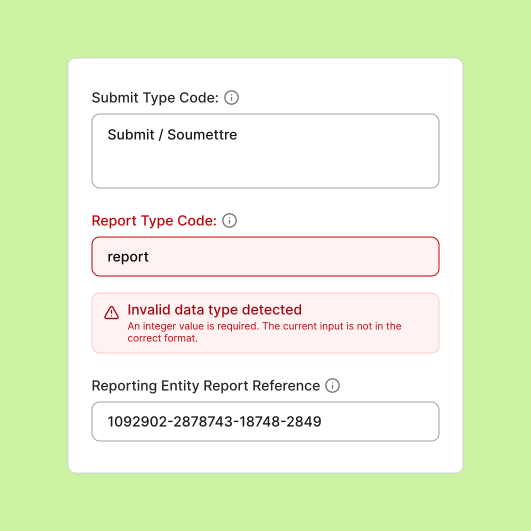
Once reports are reviewed, FINTRAC errors appear in the system so users can correct and resubmit them
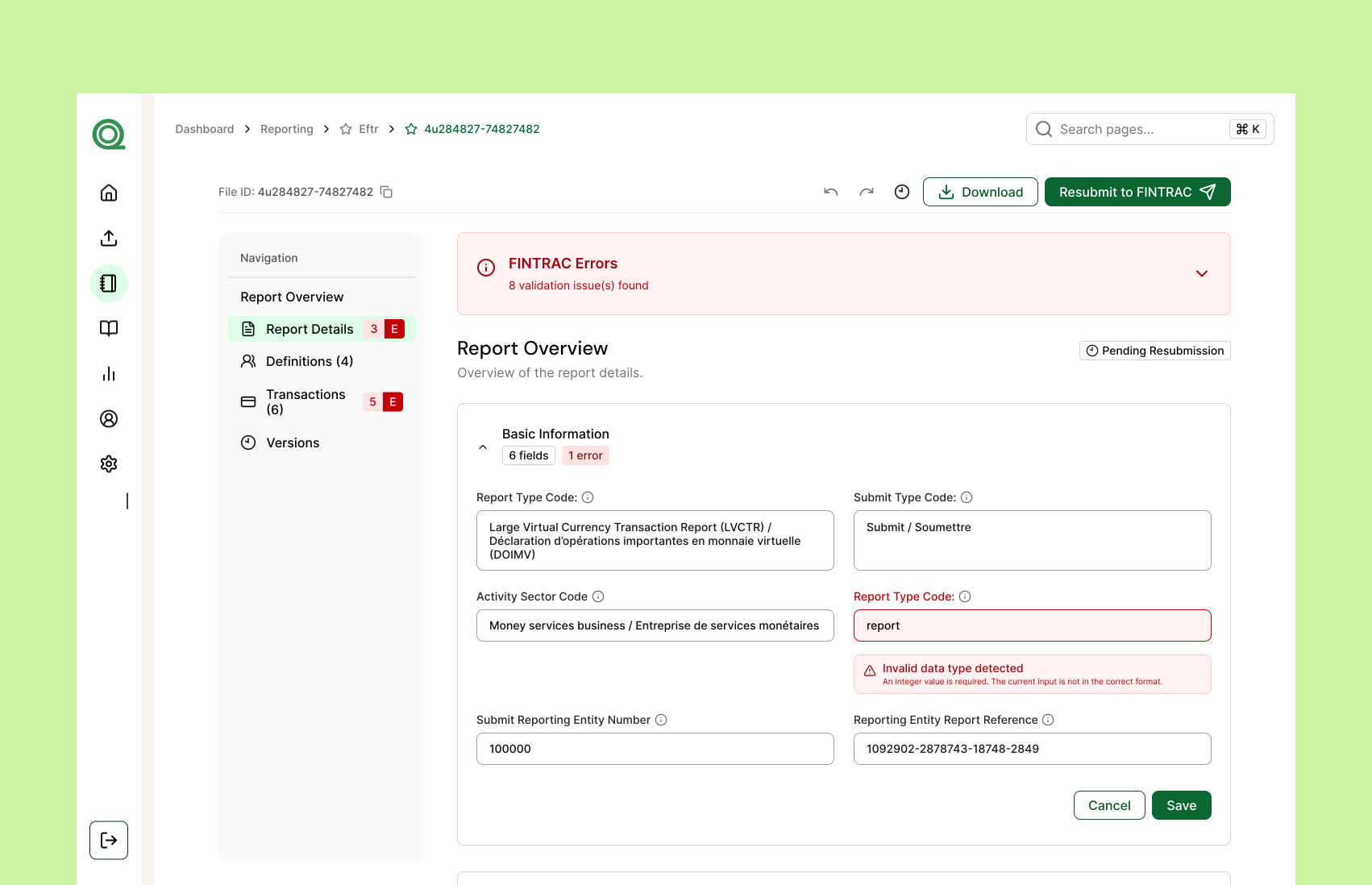
Errors

Image

Displaying errors from FINTRAC on our dashboard
TIME STUDY

Turning a 10-hour weekly process into a task that takes minutes

To better validate my designs, I did a time study to compare the initial time it takes to fill out a report manually to Quantoflow's automated system.
Before - Manual process takes 50 minutes
50:00
After - Automated process takes 2 minutes
02:00

Current systems

Manual Input: 50 minutes per submission on average copying and pasting data manually

Using our tool

Quantoflow Filing: Less than 2 minutes to upload and process the files for all 10 cases

CONCLUSION

Building the foundations of Quantoflow

Working at a startup has taught me a lot about developing a product from end to end. The process wasn't always clear and was often ambiguous. I’ve learned not to be afraid to ask questions, collaborate with developers to solve challenges, and take the initiative to lead user discussions to gain clarity and build a impactful product.

It’s never too late to get more feedback

After each iteration, I made it a priority to return to usability test participants and users for feedback. Their feedback highlighted new usability issues, confusing interactions, and opportunities to simplify the experience.

Foster a collaborative workflow with developers

Especially in a startup environment, it was important to constantly communicate with developers to implement designs and understand the scope, direction, and constraints of each feature.

Progress over perfection

While there was always room to refine my designs, focusing on the highest-impact opportunities helped me stay aligned and keep making progress.


Decorative flowers

Crafting delightful designs through creativity pencil & intent stamp

Designed and coded by me

Let's Connect!