What if compliance reporting were automated, and building reports was as easy as drag and drop?
Quantoflow is a Canadian-based startup that builds software to automate FINTRAC reporting and simplify anti-money laundering (AML) compliance for businesses.
I was the sole designer on this project, where I led the research and design execution of the reporting tool, working with developers to bring it to life.
PROBLEM
AML compliance processes are time-intensive, outdated, and not always accurate
AML compliance software exists, but it’s inefficient. Specialists often use multiple tools to gather data, manually copy it into 40+ page reports, and submit it to FINTRAC.
THE CURRENT STATE
A time consuming process
67% of financial institutions spend 10 hours per week on compliance
There are multiple systems to find information
Outdated UI makes reporting difficult to navigate
Inaccurate compliance
Manual compliance leads to a 40% higher error rate compared to automated systems
SOLUTION
Automating complex reporting systems through Quantoflow's dashboard
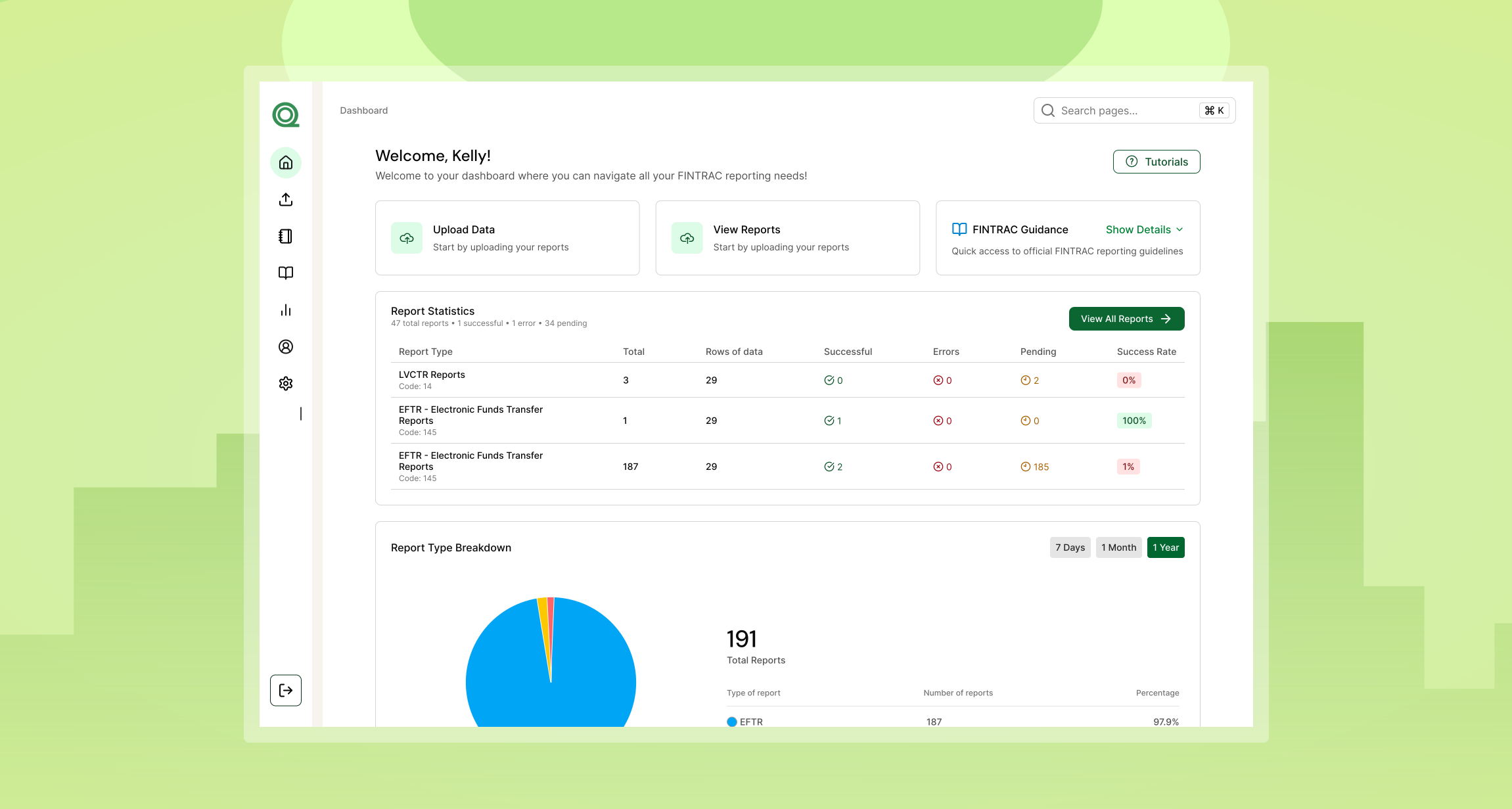
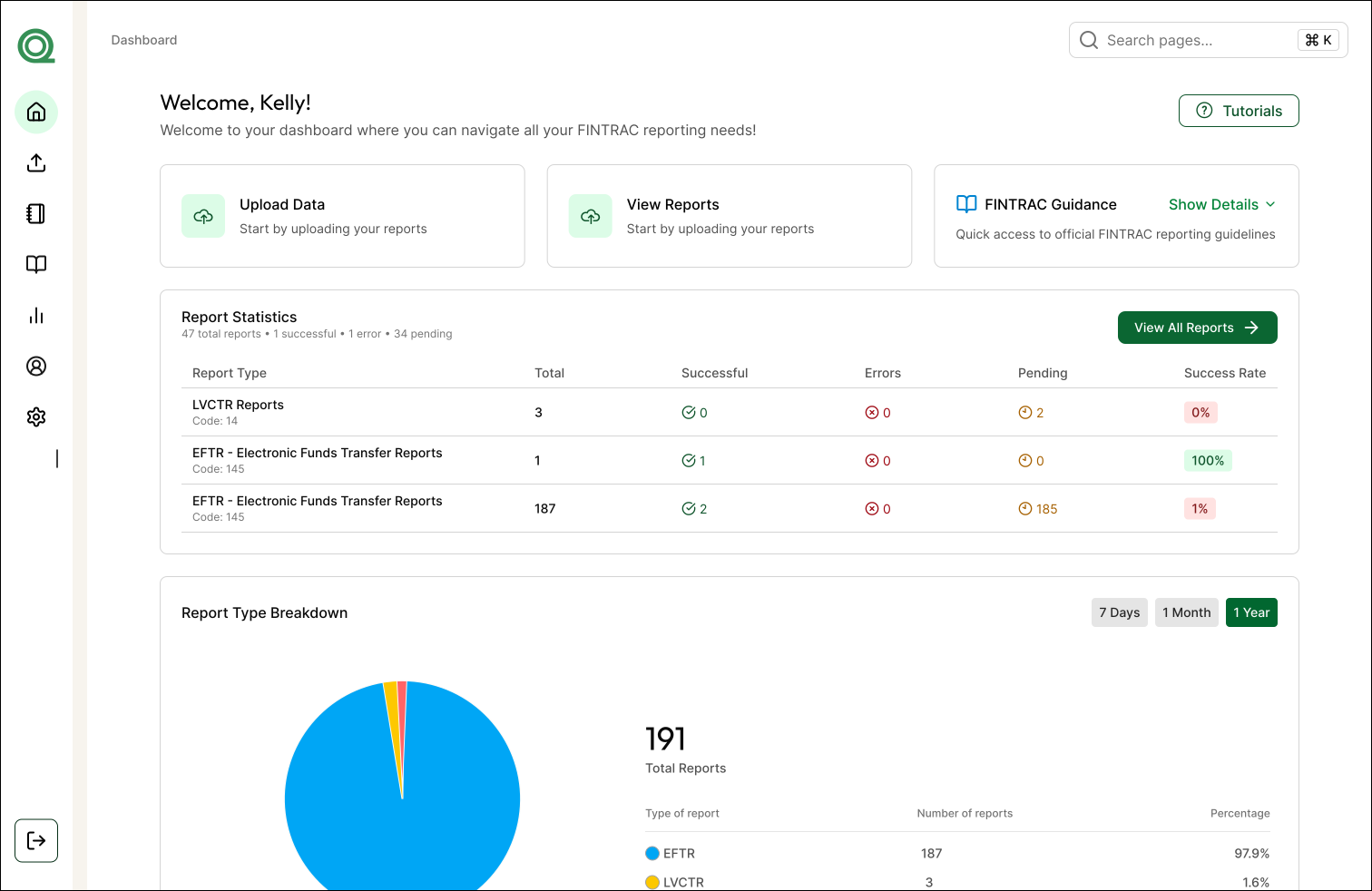
I designed a dashboard that streamlines FINTRAC reporting through automated data entry, simplified review, and built-in validation.
Impact
Automating a once manual process
Turned a complex 40+ page process into a fast, intuitive drag-and-drop experience
Edit and resubmit with ease
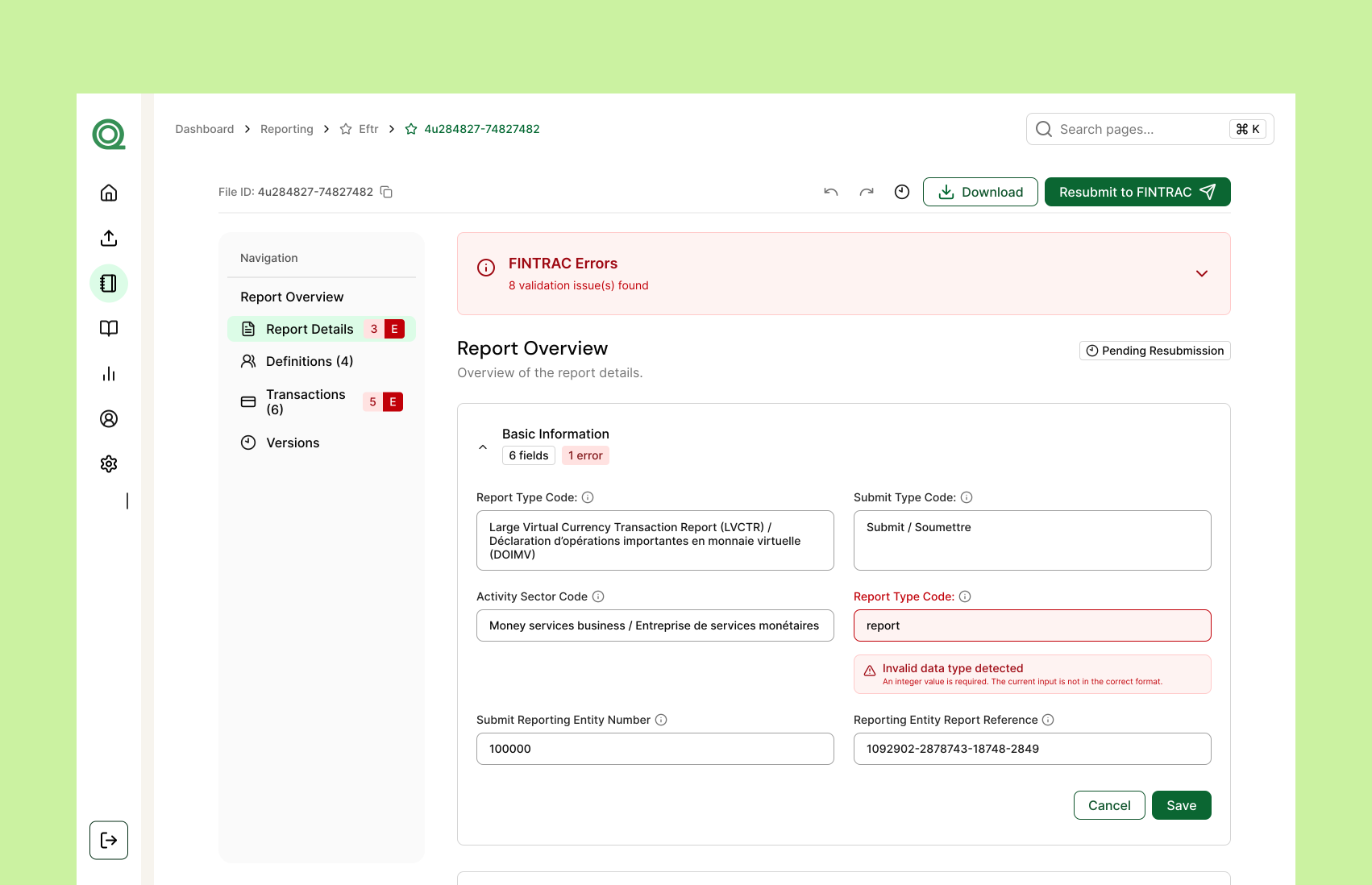
Quickly fix FINTRAC-flagged errors and resubmit in just a few steps.
Clear visibility into report stages
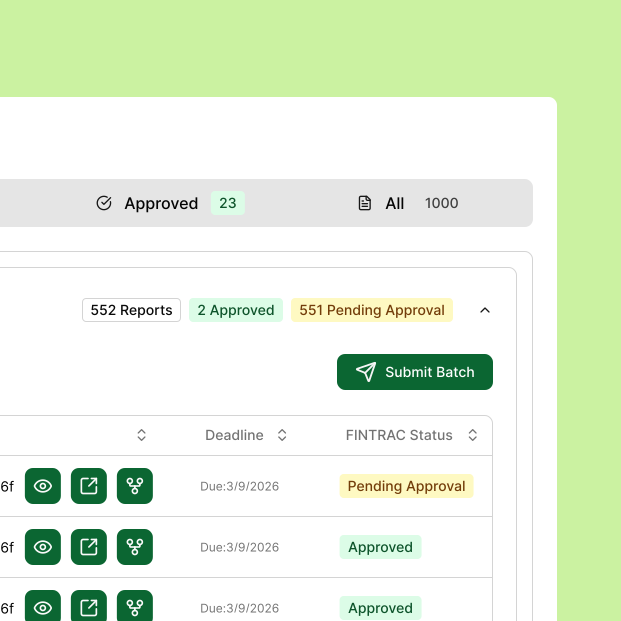
Easily track pending, approved, and error states in one place
IMPACT IN NUMBERS
To date, our software has enabled the reporting of more than $100 million in transactions to FINTRAC, significantly improving compliance efficiency and accuracy.
DISCOVERY
Deepening my understanding of current compliant systems
USER INSIGHTS
Speaking with 20+ industry users to uncover pain points
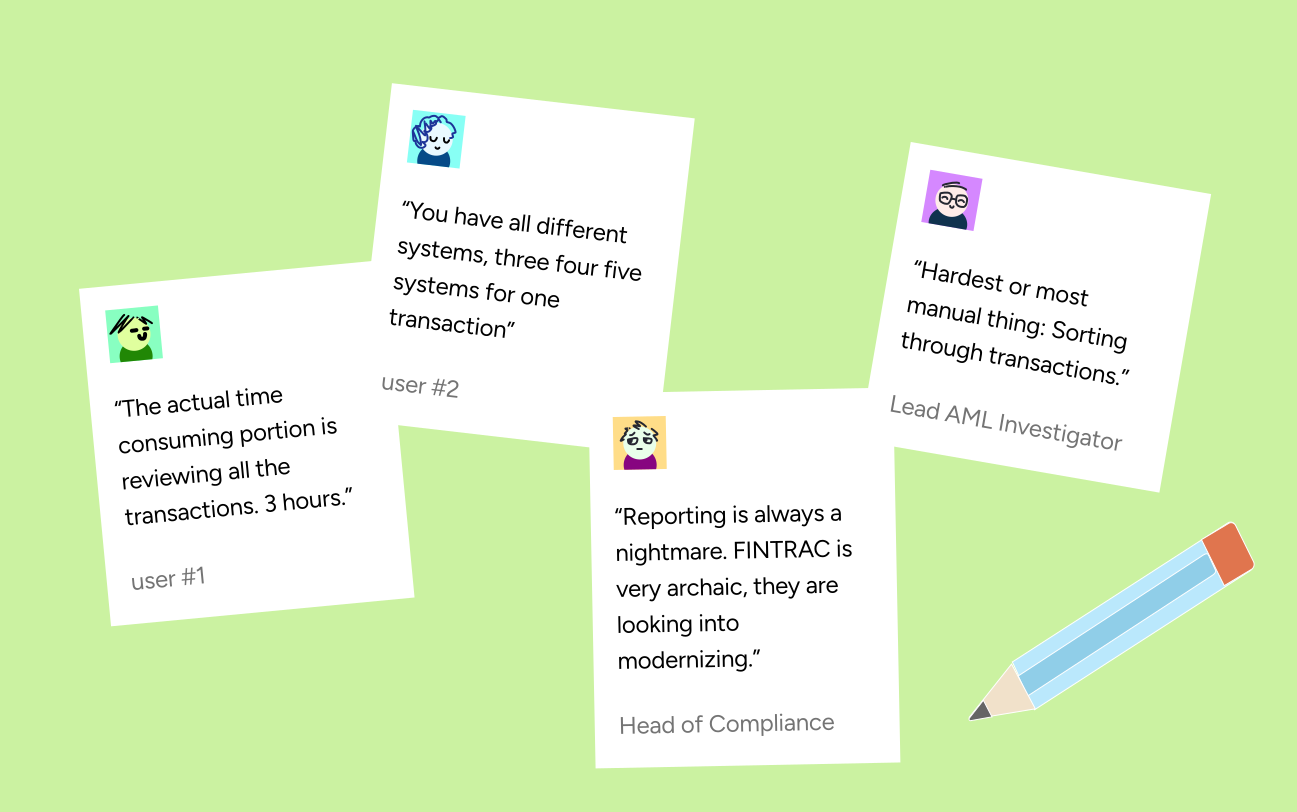
After speaking with over 20+ AML professionals, I learned that completing a single FINTRAC report often takes hours due to a multi-step process spread across disconnected systems.
Image
Pull quotes from the user interviews I conducted with AML compliance officers.
Design Challenge
How might we design an all-in-one platform to streamline a complex report filing system, improve navigation and decrease case completion time?
DESIGN OPPORTUNITY
How can we make filing a 43-page report feel as simple as uploading a file?
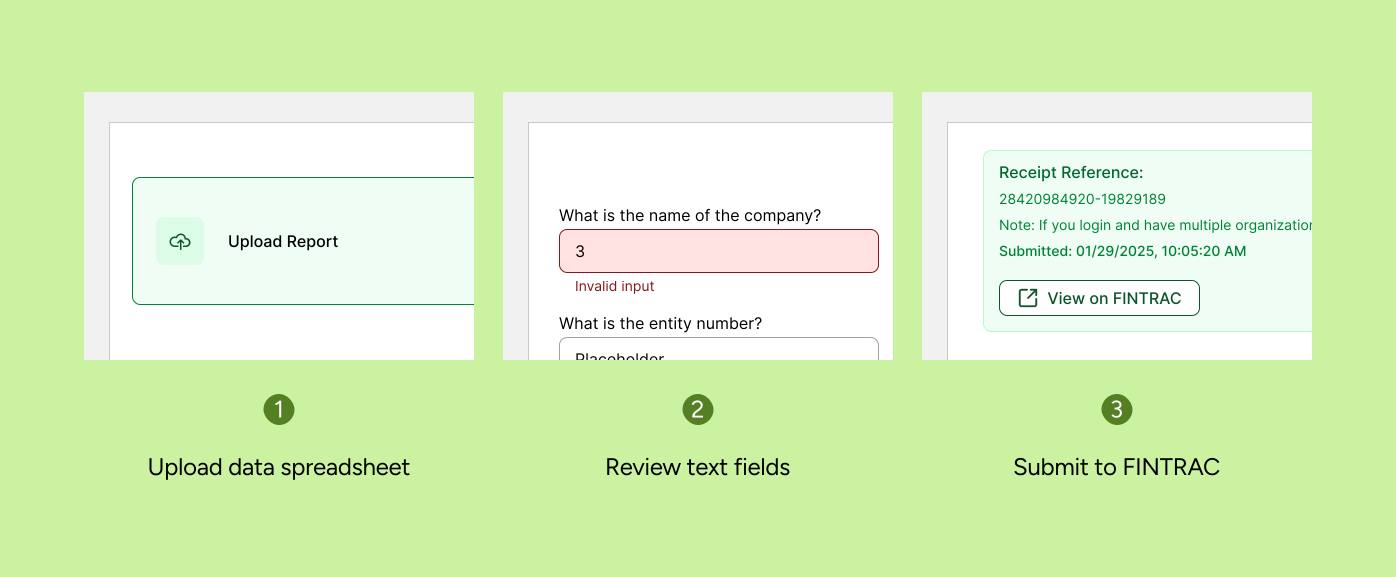
Rather than manually inputting fields, the developers and I wanted to reimagine the flow by using automation to fill them in once users uploaded their spreadsheet into our system.
Image
User flow when user uploads and submits their report(s).
EXPLORATION
Continuous user conversations guided feature prioritization and revealed friction points
During product development, I consistently gathered feedback from industry professionals and incorporated their insights to refine and improve the final design.
01 - UPLOADING YOUR DATA SPREADSHEET
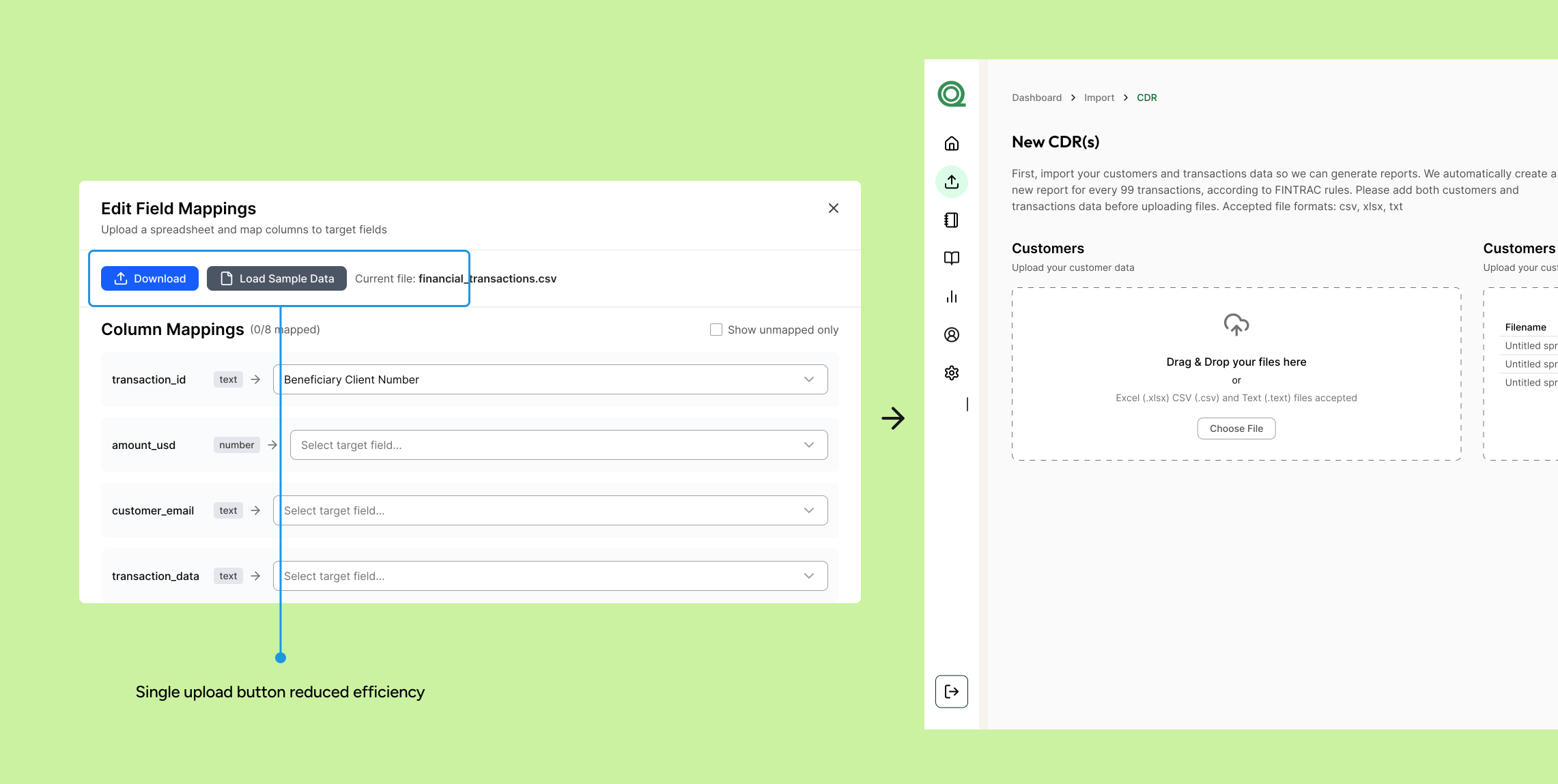
Trying different ways to upload a report
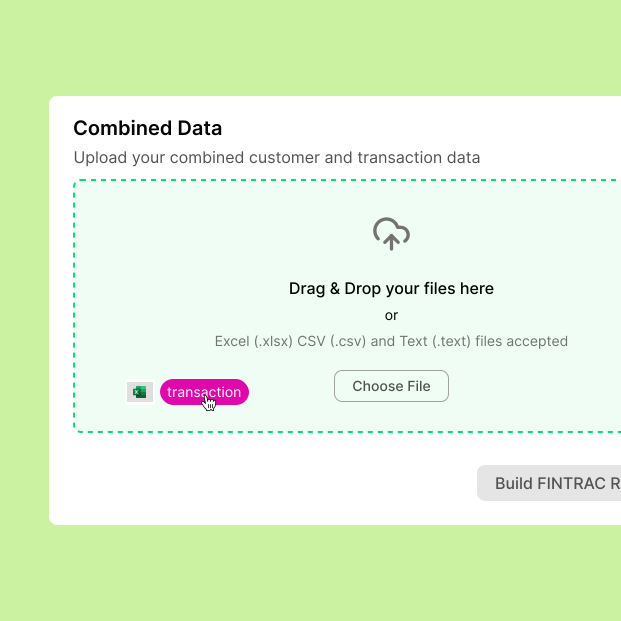
I started to experiment with different different designs for uploading the users' spreadsheet. Users found it a lot easier and flexible to drag and drop rather than click a button that opens their documents.
Image
Initial button iteration from the report upload flow
02 - REVIEW REPORT
Ensuring all the details are right before submitting
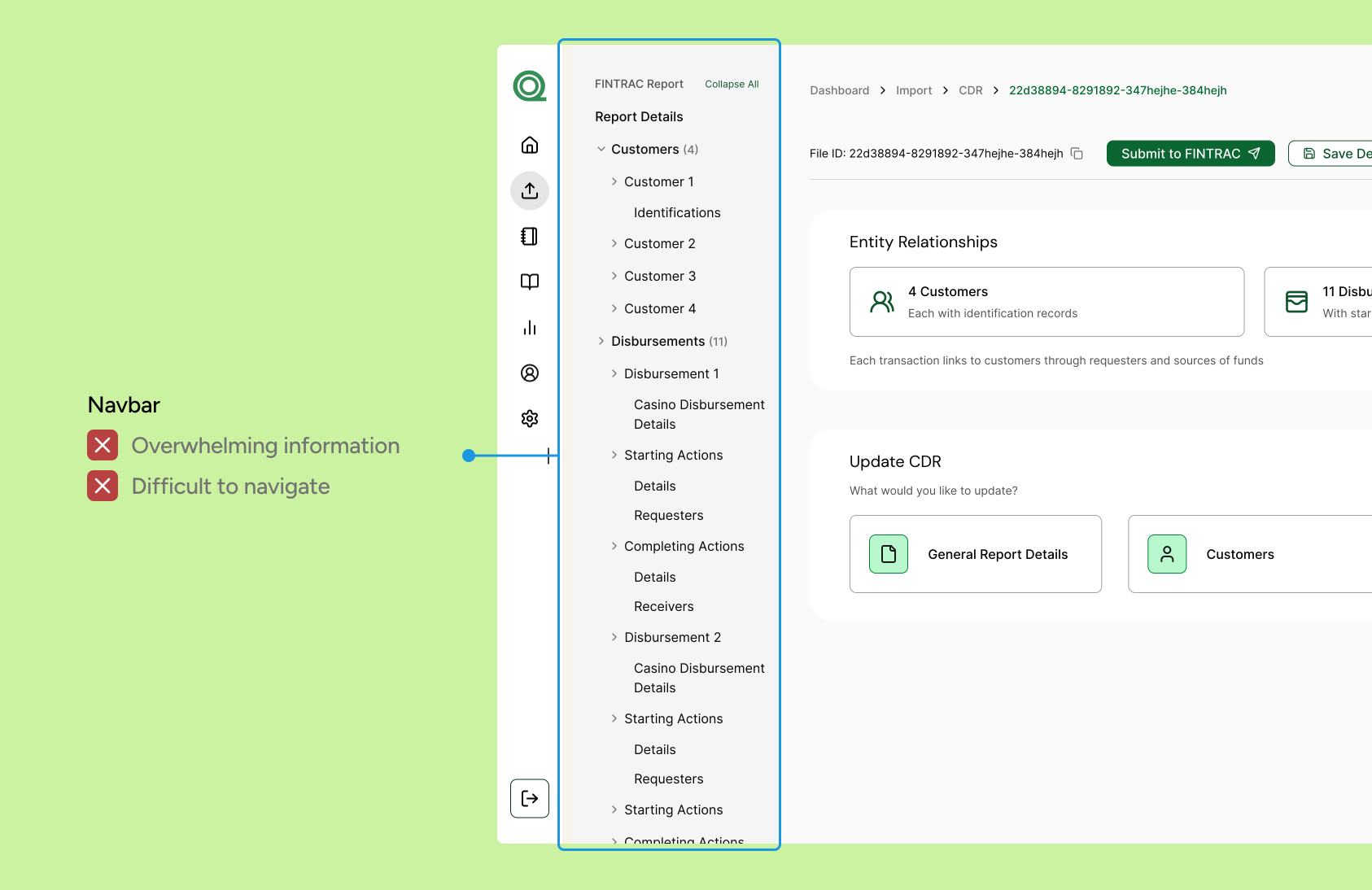
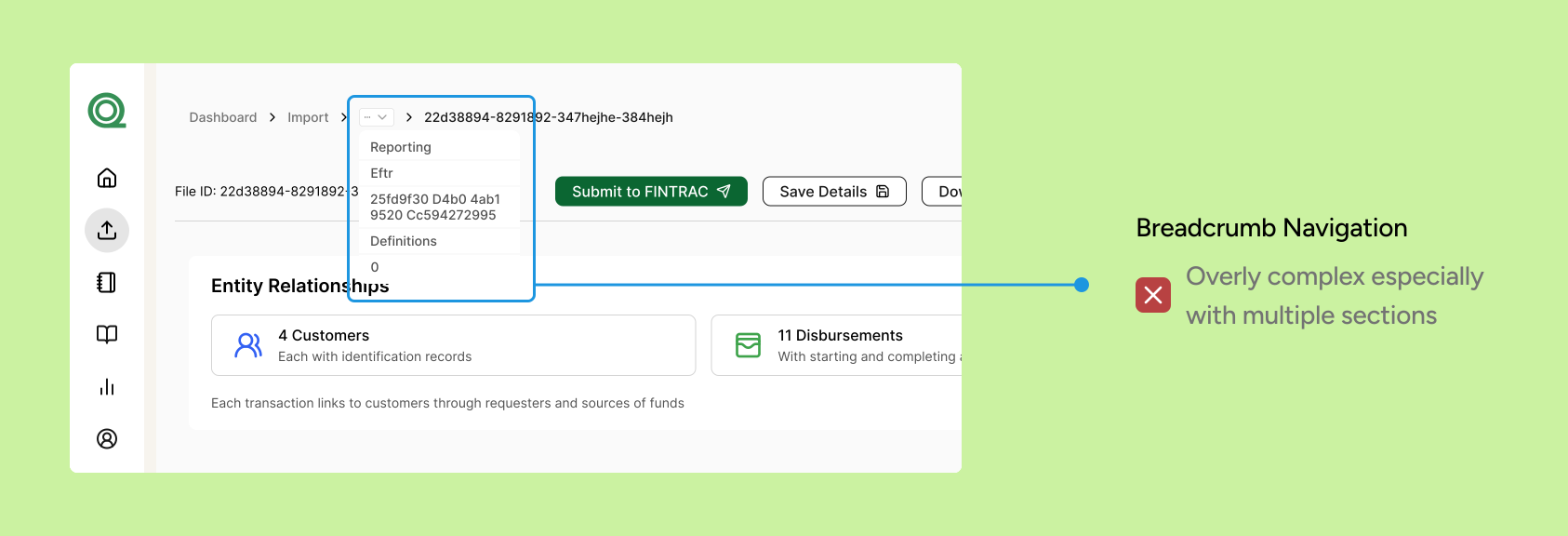
I played around with different ways to go through the nested report sections via breadcrumbs and a navbar.
Image
Navbar design to click throughout the report.
Image
Breadcrumb design to navigate through the report.
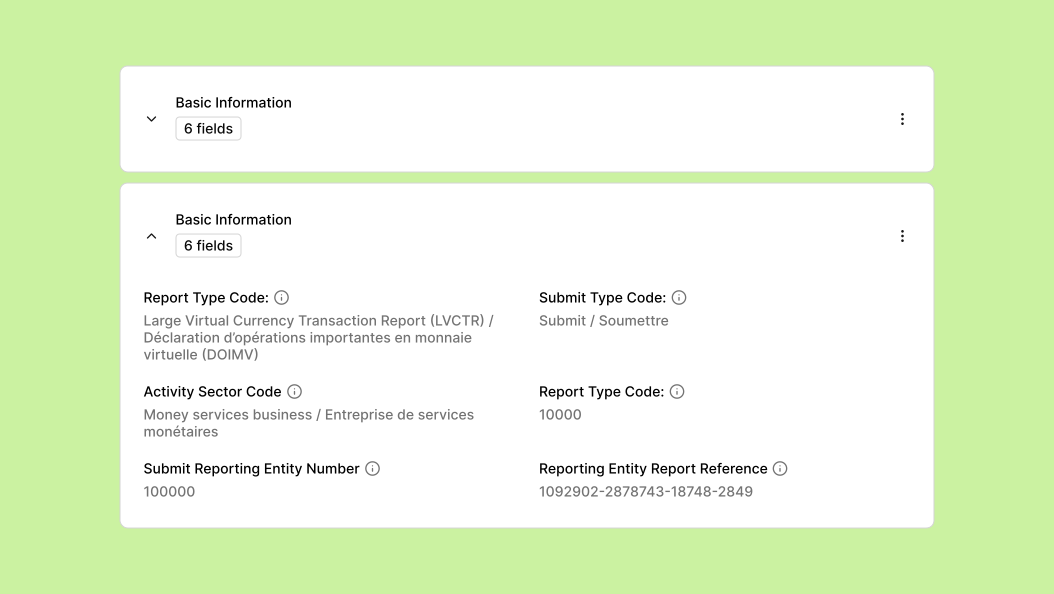
Instead of overcrowding the navbar, I introduced an accordion to improve information hierarchy and scalability.
Image
Accordion component to display nested data.
FINAL DESIGNS
Simplifying a complex system and significantly reducing case completion time
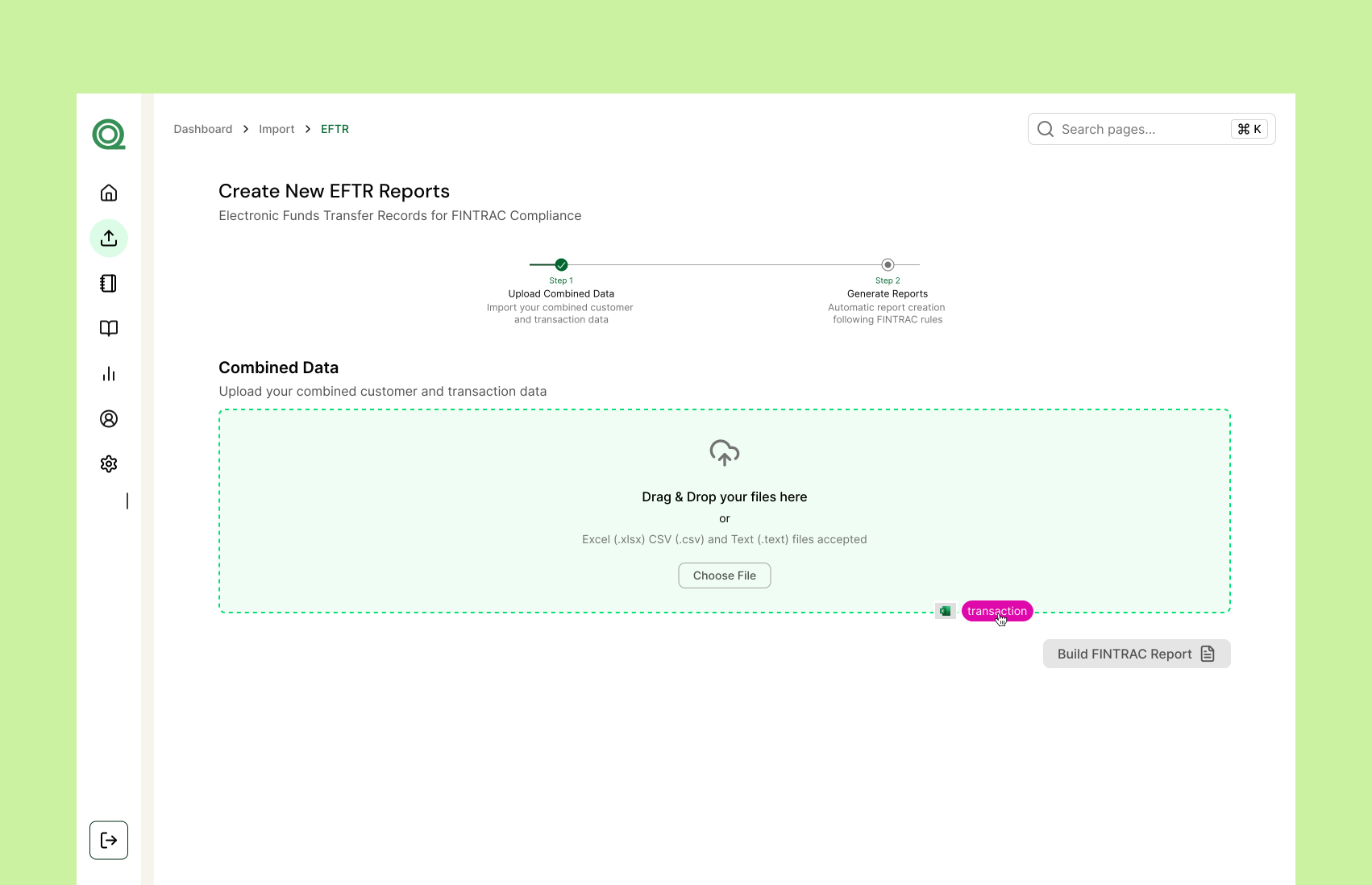
Users can mass upload reports using our drag and drop feature
Image
Our drag and drop feature that makes uploading multiple reports at a time possible.
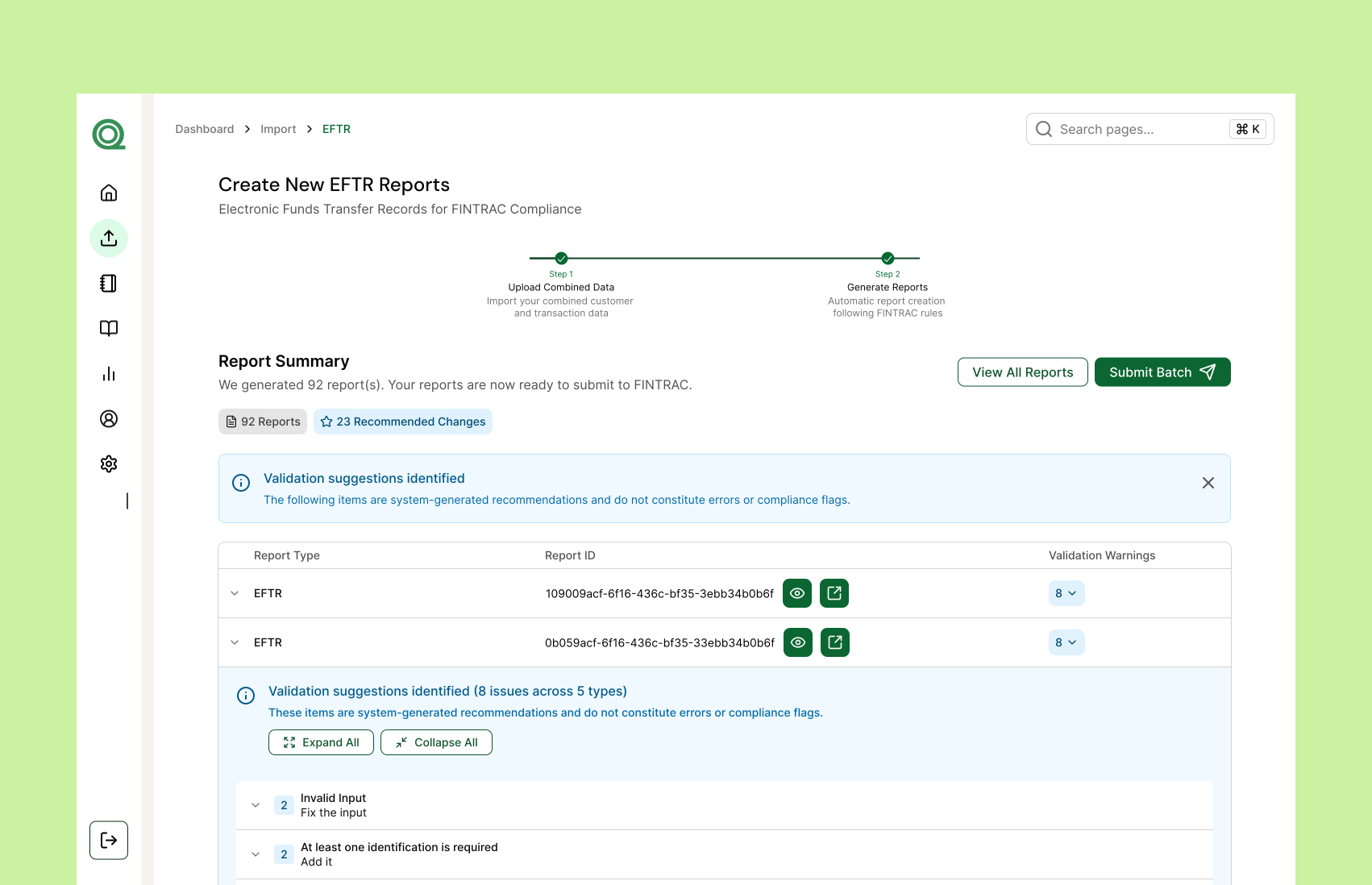
Review suggestions and reports before submitting to FINTRAC
Image
Review reports before submitting.
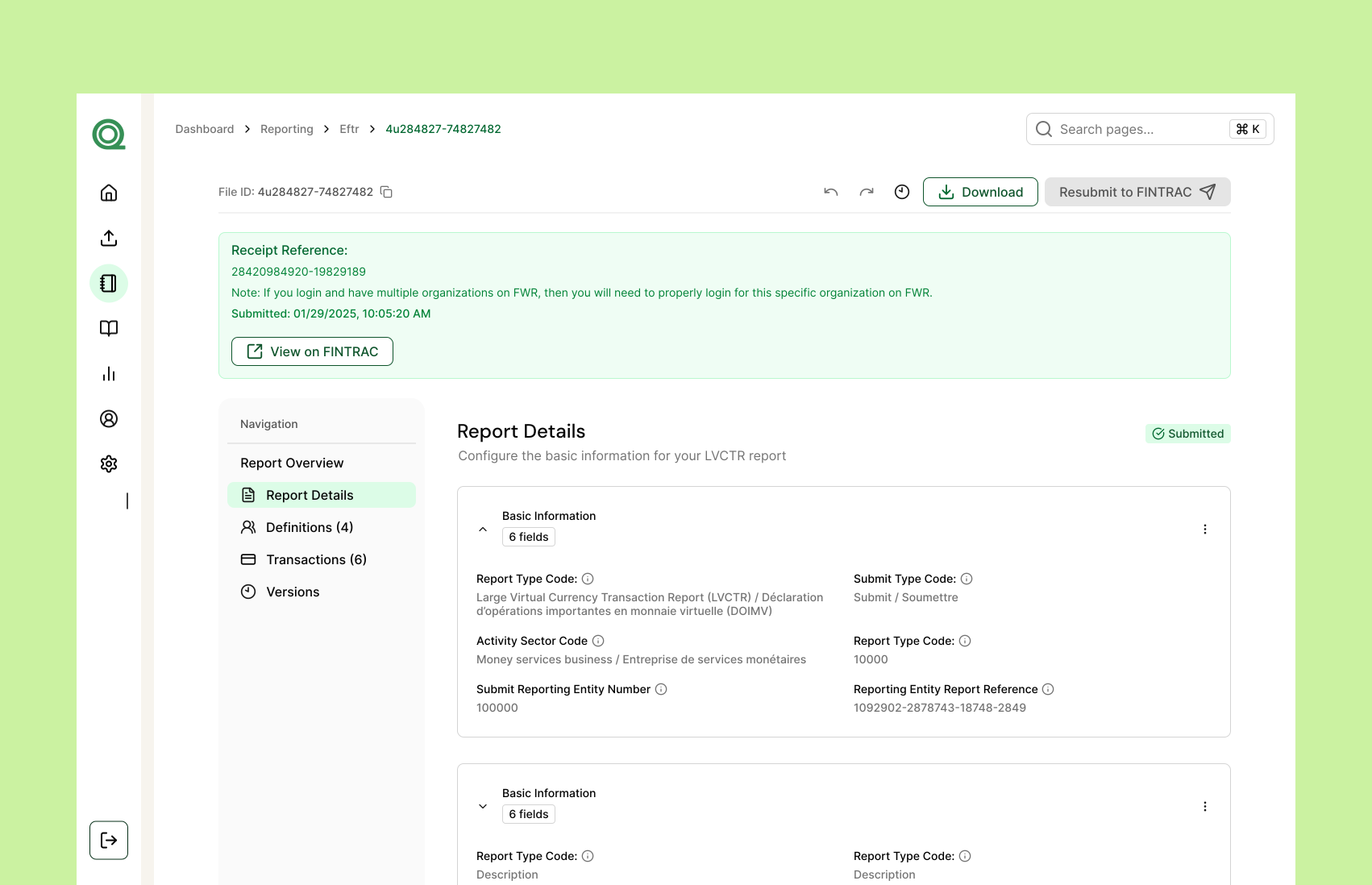
Users receive a receipt to confirm FINTRAC submission along with a link to view on the FINTRAC portal
Image
Submission validation receipt
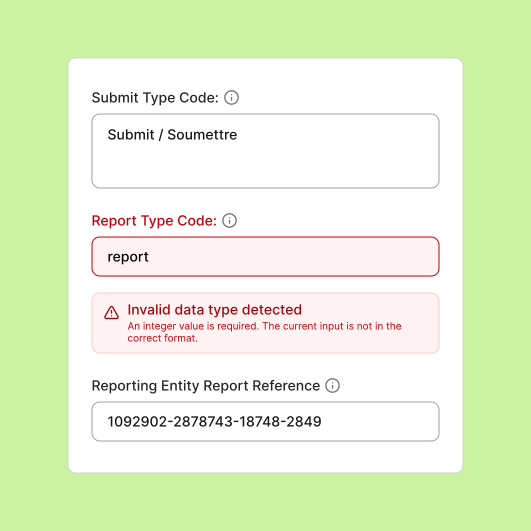
Once reports are reviewed, FINTRAC errors appear in the system so users can correct and resubmit them
Image
Displaying errors from FINTRAC on our dashboard
TIME STUDY
Turning a 10-hour weekly process into a task that takes minutes
To better validate my designs, I did a time study to compare the initial time it takes to fill out a report manually to Quantoflow's automated system.
50:00
02:00
Current systems
Manual Input: 50 minutes per submission on average copying and pasting data manually
Using our tool
Quantoflow Filing: Less than 2 minutes to upload and process the files for all 10 cases
CONCLUSION
Building the foundations of Quantoflow
Working at a startup has taught me a lot about developing a product from end to end. The process wasn't always clear and was often quite ambiguous. I’ve learned not to be afraid to ask questions, collaborate with developers to solve challenges, and take the initiative to lead user discussions to gain clarity and build something worthwhile.
It’s never too late to get more feedback
After each iteration, I made it a priority to return to users for feedback. Their input along the way was crucial, revealing new usability issues, confusing steps, or opportunities to simplify the experience.
Foster a collaborative workflow with developers
Especially in a startup environment, it was important to constantly communicate with developers to implement designs and understand the scope, direction, and constraints of each feature.
Progress over perfection
While there was always room to refine my designs, focusing on the highest-impact opportunities helped me stay aligned and move the work forward.